
What to Put on Your Online Storefront Before Sharing the Link

You are ready to share your store link in your Instagram bio or on WhatsApp. Before you do, open it as if you were a customer discovering your business for the first time.
Can you tell what is available? Is the price clear? Do you know how to make a request?
A useful online storefront answers those questions and gives customers a straightforward next step. Here is what to check before you share yours.
Make the business easy to recognise
Use your business name, a clear logo and a suitable cover image. Add a short description explaining what you sell or the service you provide.
“Custom occasion outfits made to order” tells a visitor more than “Quality you can trust.” Be specific enough for someone to understand the business without having seen your social media page first.
Vendaku lets you add your logo and cover image to your storefront, helping customers recognise the business behind the link.
Give each offering a clear name
Choose names that help customers identify and compare items. Instead of “New arrival,” describe the product. For a service, explain what the customer is booking.
Use the description to cover the details that influence the decision: material, size options, service inclusions, production time or relevant requirements.
If an item is made to order, say so. Customers should understand whether they are requesting something available now or discussing work that needs to be produced.
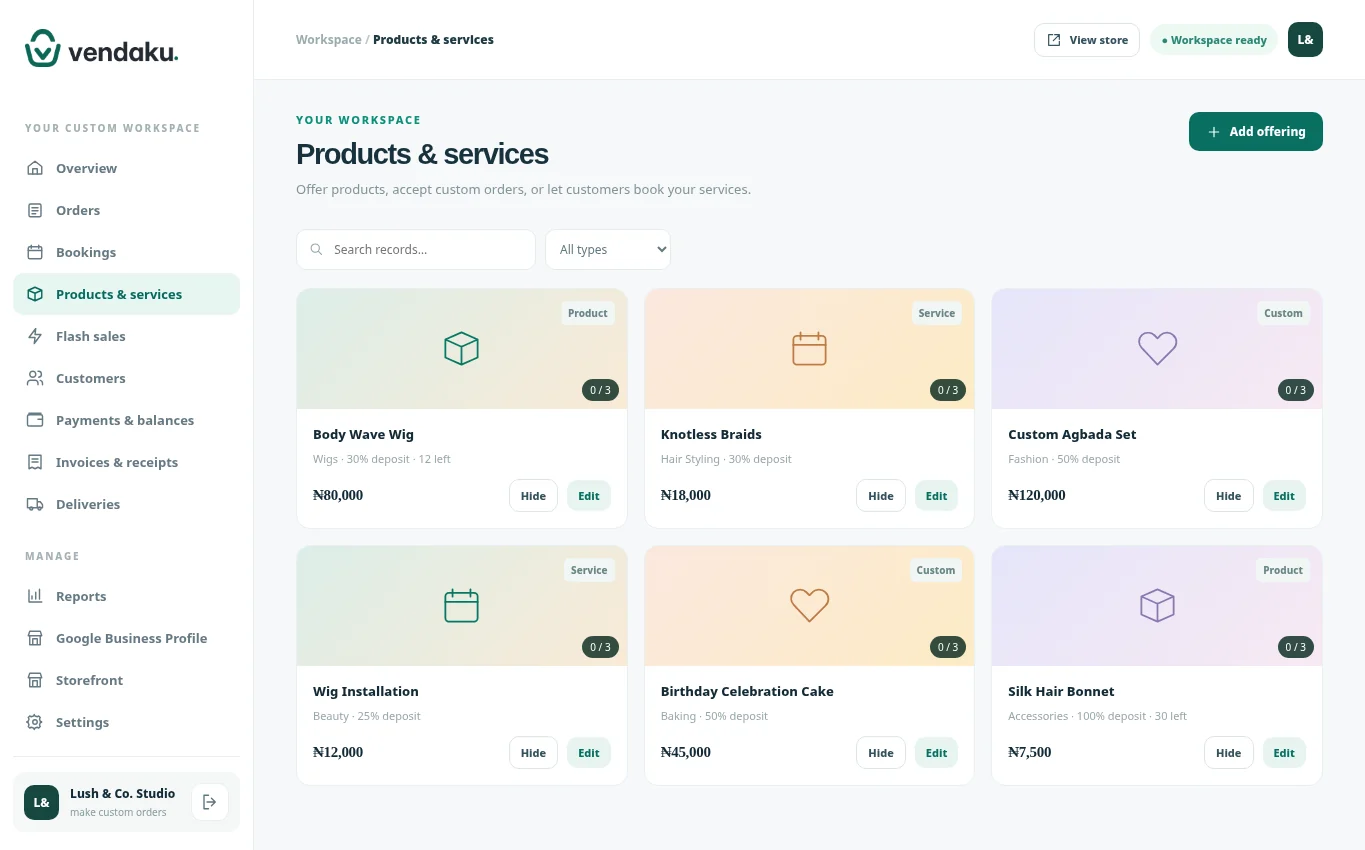
Choose photos that answer questions
Use clear images that accurately represent the offering. Show useful angles or details rather than repeating nearly identical pictures.
For a bag, that might mean the front, interior and a close-up of the finish. For a service, use images you have permission to publish that fairly represent the work you offer.
Vendaku supports up to three photos per offering. Choose the images that help someone understand what they are requesting.
Explain the price and deposit
Check that each displayed price matches your current offer. If a deposit applies, make that clear and explain any details the customer needs before proceeding.
Where the final price depends on specifications, explain what the customer should confirm with you. Clarify delivery arrangements and any additional charges before accepting the order.
The aim is to give visitors a useful starting point and prevent avoidable surprises later in the conversation.
Test the customer’s next step
Open your storefront on a phone. Check that your WhatsApp contact is correct, your real offerings are published and any flash sales have the right price, dates and available quantity.
Keep sample content private. Only publish items you intend to offer to customers.
On a Vendaku storefront, customers can browse and submit an order or booking request, then continue the conversation on WhatsApp. Receiving a request is the start of your fulfilment process; confirm availability, requirements and payment arrangements with the customer.
Once the link is ready, share it where customers already find you. Revisit your store whenever prices, availability or service details change, so the next visitor sees information you can confidently stand behind.
Build a storefront that makes the next step clear. Explore Vendaku or start your 30-day Starter trial and add your first offering.