
How to Manage WhatsApp Orders Without Losing Track

A customer sends a screenshot of a wig. Another asks whether you can deliver a dress before Friday. A third has paid a deposit, but the payment reference is buried somewhere above yesterday’s voice notes.
The conversations are happening. The difficult part is keeping the work organised after someone says, “I want to order.”
For a small business selling through WhatsApp, a consistent order record makes the next step easier to see. You can keep the conversation personal while giving every order a clear place in your workflow.
Give every order its own record
Once a customer is ready to proceed, capture the details in one place:
- Customer name and contact details
- Product or service requested
- Size, colour, quantity or custom requirements
- Agreed price and any separate delivery charge
- Deposit received and outstanding balance
- Required date and delivery or collection arrangement
- Current order status
Give the order a reference you can use in follow-ups. Two customers ordering the same item should still have separate records.
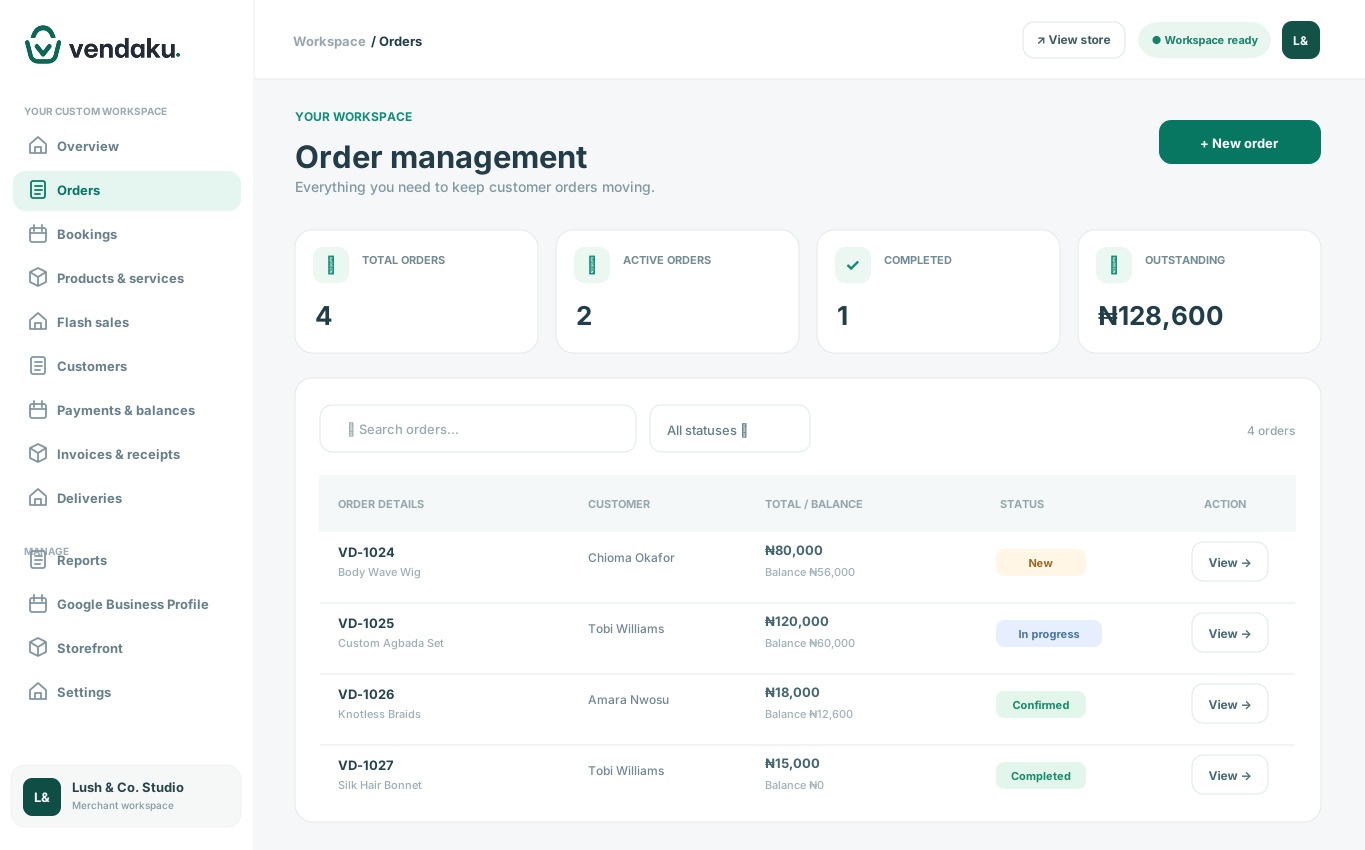
In Vendaku, customer records and orders help you keep these details together, so you can return to the job without reconstructing the entire chat.
Confirm the agreement before work begins
Send the customer a short summary of what you have agreed. For a custom outfit, that might include the style, measurements supplied, fabric arrangement, price and expected completion date.
Ask the customer to confirm the details. If something changes later, update the order record and confirm the revised agreement in the conversation.
This gives both sides something clear to refer to when a deadline or specification comes up.
Record money only after checking it
A payment screenshot can help you locate a transfer, but check your own bank or payment-provider records before marking the money as received.
Consider an illustrative ₦40,000 order with a ₦15,000 confirmed deposit. The outstanding balance is ₦25,000. Recording both amounts makes it easier to answer “How much is left?” and to know what should happen before delivery.
Vendaku lets you record merchant-confirmed payments and track balances. Confirmation still depends on your own payment checks.
Make the next action visible
Choose statuses that describe where the work stands: awaiting confirmation, in progress, ready or fulfilled, for example.
At the beginning of each day, review orders due soon and those waiting on a customer decision or balance. Update records as the work moves forward. A status that no longer reflects the job can be as confusing as a missing record.
Close the loop after fulfilment
Once the customer receives the item or completes the service, update the order. Keep the final payment record and relevant invoice or receipt attached to the transaction.
For your next order, repeat the same process. Consistency is what turns a collection of conversations into a manageable business workflow.
Bring your WhatsApp sales into a clearer workflow. Explore Vendaku’s order management tools or start your 30-day Starter trial.